Choosing AI-Redact: Test PDF redaction with three known answers
Compare online assistance with an approved local tool using a synthetic text page, scan and footer.
Before giving an event handbook to an external partner, trial the workflow with invented content only. AI-Redact at ai-redact.com describes uploading a PDF, reviewing automatically flagged candidates, confirming what to redact and downloading a processed copy. Automated flags can help triage repetitive layouts. If a document cannot leave an approved environment or most pages are scans, compare an approved local redaction tool first instead of uploading originals to see what happens.
Make a test with three known answers
Create a three-page PDF: put “TEST-RED-01” in normal text, “TEST-RED-02” in an image you draw and “TEST-RED-03” in a footer. Mark all three for removal in a checklist and add one harmless line, “Public schedule,” that must stay. Use no real identities. Compare the detector’s flags with the list, add any missed marks and undo false positives, then export a separately named release copy.
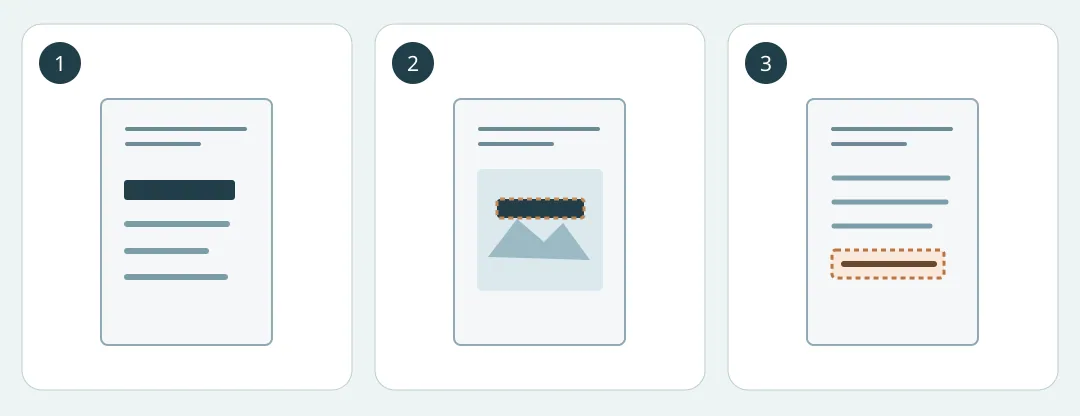
Figure 1. Check each seeded marker and keep one harmless control line. This drawing is not the product interface.
Have a second reviewer check only the exact copy ready to send. Visually zoom in on the image page; on text pages, search for the known markers and confirm the harmless line remains. If attachments or comments are part of delivery, check them separately. A passing sample is not a guarantee for other files. Count credits, manual marking and second-review time. Pilot only if all three pass, the control stays and the environment is approved. Hold the release if anything is uncertain.
Content note:This article is based on publicly available information and is intended as a reference for evaluating tools. Features, pricing, and related policies may change at any time; please refer to the latest official information.
Original source:ai-redact.com