Choosing AI Video Cut: Shorten the demo without cutting the condition
Compare prompt-led clips and manual timecodes using one original demo with a clear condition, action and result.
A training team wants a self-contained short from a longer demo it recorded. AI Video Cut’s custom prompt guide describes specifying the number and focus of clips, so the tool can look for candidates. If an instruction must stay attached to a prerequisite, manual timecodes give more certain boundaries. Compare using your own fictional interface and narration, not client recordings or unlicensed audio.
Give both routes the same assignment
Record a fictional tool: say “Only drafts can be archived,” show the click, then show the draft leaving the current list. Request one short that keeps all three moments in order without new narration. Have an editor mark start and end timecodes in the same source and cut a version at the same delivery ratio. Compare each sentence with the original: drafts only is not all items, and leaving the list is not permanent deletion.
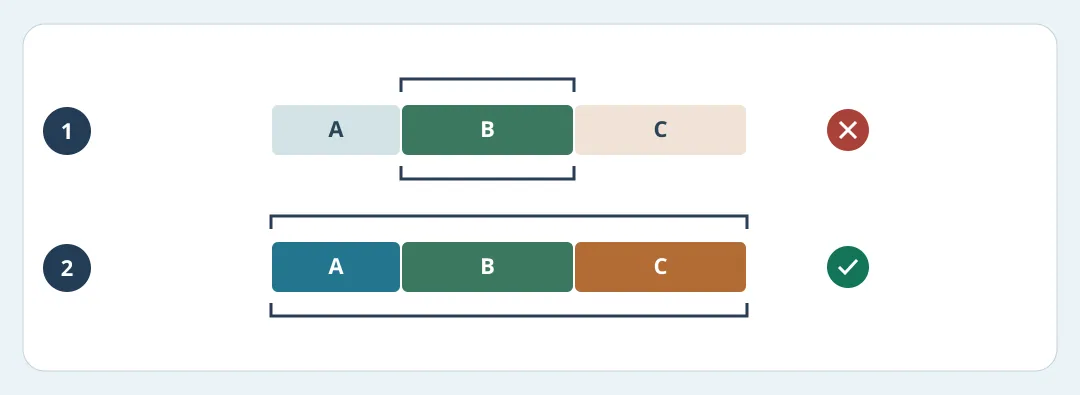
Figure 1. A says drafts only, B shows Archive, and C shows the draft leaving the current list. This is an inspection drawing, not tool output.
Watch on a phone muted and then with sound. The prerequisite needs to come before the action; a vertical crop must not hide the button, and captions must fit. Ask someone who has not seen the source what can be archived and what the result was. Track charged minutes, rework and review per approved clip. Expand only if two original samples pass consistently. If every result needs the condition restored, use manual timecodes.
Content note:This article is based on publicly available information and is intended as a reference for evaluating tools. Features, pricing, and related policies may change at any time; please refer to the latest official information.
Original source:www.aivideocut.com