Choosing AirAlarm: Is a 20-minute wake-up window useful to you?
Compare a flexible reminder with a fixed alarm on an unimportant morning, keeping an independent backup.
If your morning timing is flexible and compatible AirPods are already comfortable for you, AirAlarm is an option to compare. Its maker and App Store listing describe an iPhone app with an adjustable wake-up window and compatible AirPods. The question is whether you like the timing arrangement, not whether it measures sleep stages or improves health. On a day you must be on time, keep a proven fixed alarm rather than replacing an important reminder.
Try it when the schedule can slip
Suppose 07:15 to 07:35 would suit you, with 07:40 your latest acceptable reminder. On one free morning use the AirAlarm window plus a fixed backup on a separate device; on another use only the same fixed alarm. Check in daytime that the sound is noticeable on your setup and that the earbuds are compatible. Do not assume a Focus mode, silent setting or disconnection still allows the reminder to sound. Stop if wearing the earbuds is uncomfortable.
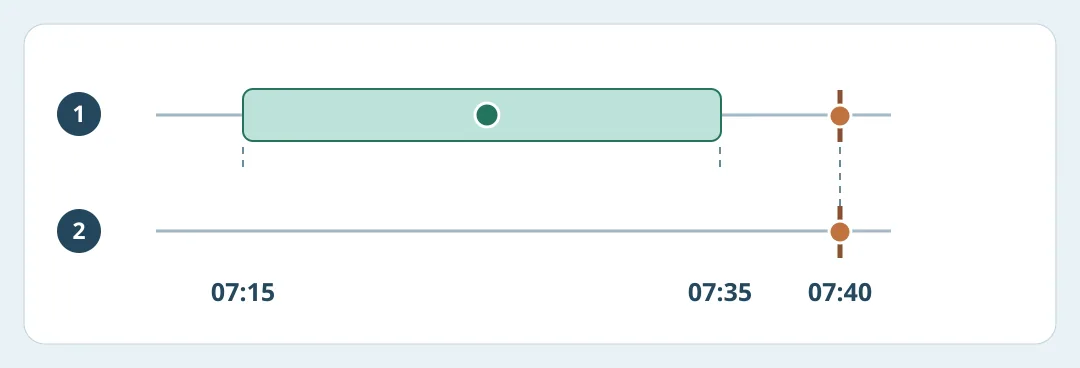
Figure 1. The dot inside the window is an example, not a prediction or app screenshot. Both options use the same latest reminder.
Keep brief notes locally: did you hear an alert inside the window, did you rely on the backup, and was setup worth the effort? Do not upload sleep records or infer sleep quality from a few mornings. If you prefer the fixed time or only hear the backup, keep the simpler option. Consider the window only for similarly flexible mornings, without buying hardware just for this trial.
Content note:This article is based on publicly available information and is intended as a reference for evaluating tools. Features, pricing, and related policies may change at any time; please refer to the latest official information.
Original source:kaedeeeeeeeeee.github.io