Choosing Amie for two calendars: seeing both doesn’t mean writing to the right one
Use two fictional events at the same time to check source labels, default destination and a path back.
Amie’s August 5 release notes list two-way Outlook sync and multiple accounts. Its help page distinguishes a default calendar from calendar visibility. A combined view can help when you work across both; if you only want to spot clashes, first compare a read-only overlay or two views in your current calendar.
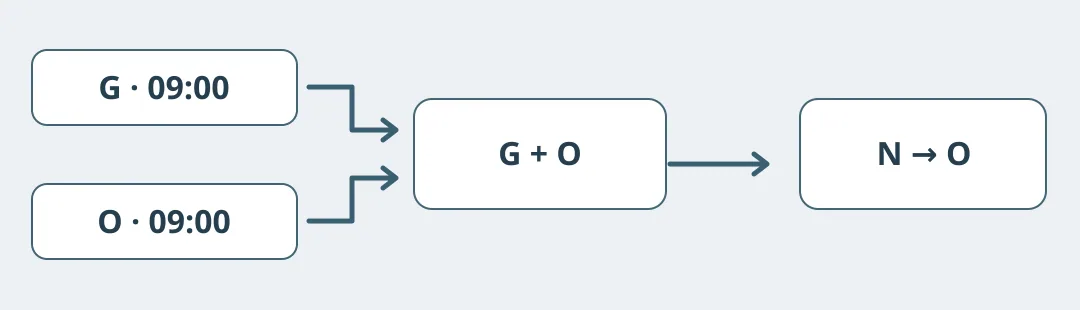
Figure 1. Original rehearsal diagram. G and O are sources; N is a fictional, unsent item.
Answer three ownership questions before connecting anything
Sketch fictional calendars G and O, each with a different event at 09:00 Tuesday. First label each source. Next assume O is default and mark proposed item N only in O. Then hide G and distinguish that from deleting its events. Write down the expected outcome. If you later need a screen check, use an authorized isolated environment with drafts only: no invites, recording or production calendars.
Run the same cases against your current calendar. If the existing view already shows conflicts and that is all you need, stay put. If you need to manage both in one view, consider adoption only after source, default destination and hiding all pass. Verify supported accounts and devices, and identify where to retrieve items after leaving. Two-way sync is not a backup.
Content note:This article is based on publicly available information and is intended as a reference for evaluating tools. Features, pricing, and related policies may change at any time; please refer to the latest official information.
Original source:amie.so