Appointy at two seats: test self-service and admin additions separately
Use a fictional class to keep a third request unconfirmed and check the shared equipment separately.
At 14:00 the diagram shows 2/2. A and B are inside the solid seat boxes; C is in a dashed box outside.
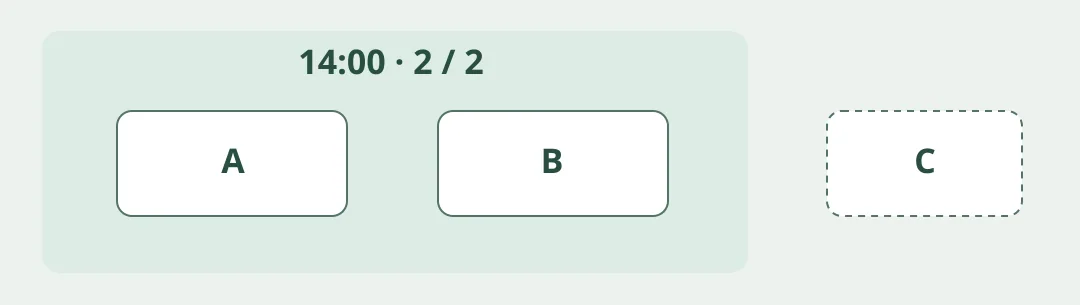
Figure 1. Appointy’s group-booking help sets capacity by service and time slot. Its class page says enrolment closes when full. The 2021 help also says an admin can add people regardless of those settings. A self-service cap is not a guaranteed hard limit on every route.
Keep the third card outside the class
Make up an adult equipment orientation at 14:00 with two seats. A and B fill them. C arrives by self-service and remains unconfirmed; don't assume it joins a waitlist. Simulate a separate request for an admin to add someone. Check actual seats, staff and equipment already in use by another class before proceeding. A service cap is not a shared-resource count. Don't confirm a third person. Use paper only: no live bookings, contact information or reminders.
Compare a manual roster on excess confirmations, clarity when full and who reviews each route. Keep the roster if classes are few and checks are easy. Consider Appointy when classes recur, self-service saves work and someone still checks the physical cap. Verify plan features separately and don’t assume automatic waitlisting or refilling cancelled seats.
Content note:This article is based on publicly available information and is intended as a reference for evaluating tools. Features, pricing, and related policies may change at any time; please refer to the latest official information.
Original source:help.appointy.com