AppScreenStudio: can the same screenshot layout just be resized?
Use narrow-preview readability to decide what can be reused; an export is not acceptance.
Use AppScreenStudio’s browser templates to make device variants, but do not force every size into one layout. The November 2025 launch listing under the developer’s name describes App Store and Google Play screenshots, templates and drag-and-drop editing. That is not a guarantee of store acceptance. (Source)
Mock up a fictional plant-card app with a round leaf icon and a headline about seeing cards by season. The headline fits the wide layout. Shrunk into the narrow layout, it clips. Make a second narrow version with two shorter lines while retaining the same meaning and icon. Keep it an offline mock, not a store submission.
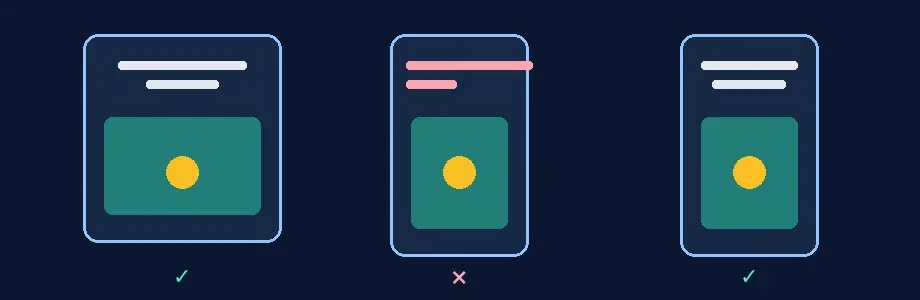
Original layout diagram, not a product interface or real app screenshot.
Review the final export at the narrowest target preview, not zoomed in on the canvas. Ask someone who hasn’t seen the source to restate the claim and point out the main graphic. Reject a missing qualifier, clipped icon or a headline that needs zoom. Check pixel sizes separately against official store documentation. Buy for repeat sets only if checking and correcting both layouts takes less time than your existing templates. For one size, the current design file is usually enough.
Content note:This article is based on publicly available information and is intended as a reference for evaluating tools. Features, pricing, and related policies may change at any time; please refer to the latest official information.
Original source:gazla.co