Choosing the Argos browser assistant: read the opening time, stop before the form
Compare manual notes with a read-only assistant on a fictional static page, with a clear stopping rule.
Fictional page P-4 branches to 10:00 in section 2 or to a red cross for no form action.
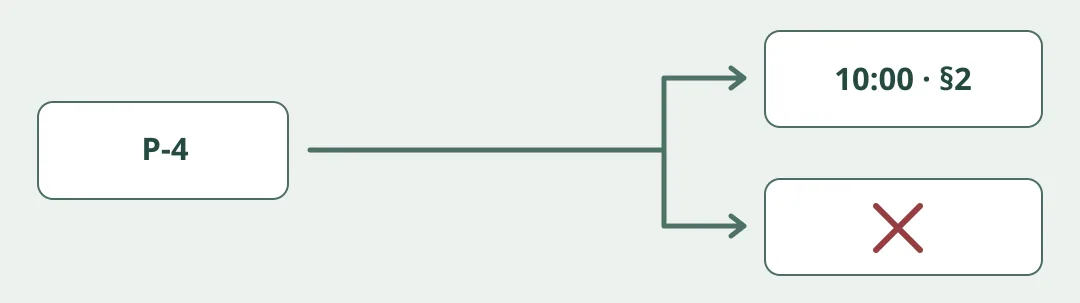
Figure 1. This is the Argos from tryargos.cc, not Argos CI. Its maker described browser actions publicly in August 2026. Being able to act on pages doesn’t make a tool appropriate for read-only work. Don’t treat a spoken instruction as an enforceable permissions boundary for login, forms or background work.
Check two facts and nothing else
Draw a fictional exhibit page P-4 on paper. Section 2 says doors open at 10:00; a mock sign-up button appears below. For a read-only task, accept only 10:00 and §2. If the needed information is behind registration, mark it unverified and stop. Compare manual notes with hypothetical assistant output. Install no extension, connect no real sites, accounts or background jobs, and send nothing.
Consider a closer look only for many similar approved pages where someone can independently verify the action boundary. For two facts, reading manually may be faster and leaves the evidence visible. Stay manual if broader access, login or submission is required. Marketing is not a guarantee of local processing or of blocked actions.
Content note:This article is based on publicly available information and is intended as a reference for evaluating tools. Features, pricing, and related policies may change at any time; please refer to the latest official information.
Original source:www.producthunt.com