Artlist stock audio: the download date is not the project’s publication date
Use a fictional track to compare stock audio with original sound without treating a download as publication coverage.
The green period contains download D and first publication P-1 before cutoff T. P-2 falls afterward.
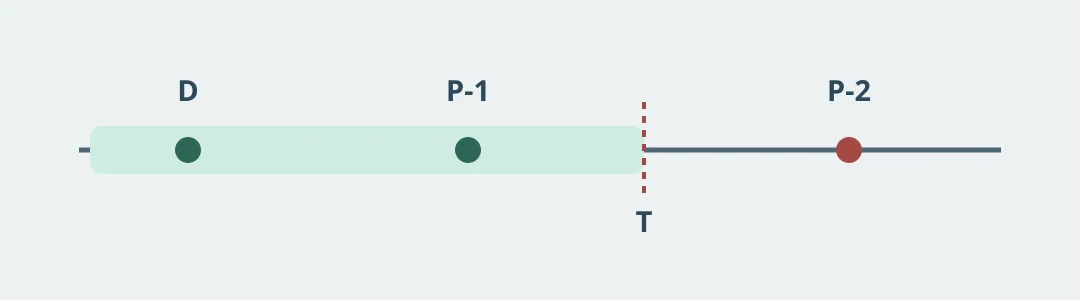
Figure 1. This guide covers Artlist stock music, not Artlist AI. Artlist’s terms effective February 15, 2026 distinguish downloading an asset, using it in a project and publishing that project. They tie publication of new projects to the paid term and applicable scope. A download record or Clearlist entry doesn’t replace those checks or guarantee no copyright claim.
Separate download, first release and reuse
Make a paper card for fictional track D and exhibit clip P-1: record plan, asset ID, release channel and date, and reviewer. Assume P-1 first appears before T. P-2 is a different new clip after T; mark it for a fresh check rather than carrying over P-1’s record. Leaving an old release online is not publishing a new project. Download or play no actual asset, connect no channel and publish nothing.
For one simple beat, compare sound you create yourself with a documented source. A catalog may save discovery time when styles change often, but count the checks for each project. If the team can’t identify which plan covers which project and channel, don’t adopt yet. Use current terms and the actual plan for any real project.
Content note:This article is based on publicly available information and is intended as a reference for evaluating tools. Features, pricing, and related policies may change at any time; please refer to the latest official information.
Original source:artlist.io