Choosing Atlassian: A Jira fix shipped. Which service requests are ready to close?
Link two fictional service requests to one engineering item and check that delivery and closure remain distinct.
Atlassian’s Jira Service Management (JSM) can link a service request to an engineering item in another Jira product, a cross-team workflow documented in Atlassian materials around 2024. Linking gives engineering one fix to track and lets the service desk follow each request. It does not show that any particular requester is unblocked. Start by testing that separation instead of automating closure.
Give one fix two outcomes
On paper, use two fictional teams reporting that a filter is missing in the same report. Link REQ-A and REQ-B on the worksheet to ENG-7. After engineering delivers a fix, A passes retesting in its environment, while B still cannot get the expected result with a different fictional configuration. Expect the engineering item to show delivery, A to be ready to close and B to remain open with an owner, retest conditions and a next step. The diagram shows acceptance logic, not the product interface.
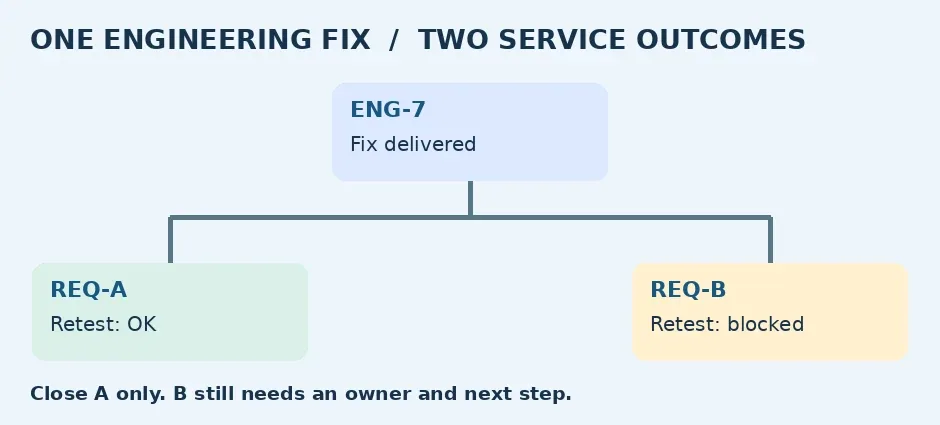
Original diagram: ENG-7 shipped; only REQ-A passed retesting, while REQ-B needs an owner and next step
Check from both sides
Ask one reviewer to identify both affected requests from the engineering record without copying request content into it. Ask another to find B’s next step from the service record without asking engineering again. Agree that engineering owns delivery status and each request owns its closure evidence. Fail any approval or rule that would close B when ENG-7 is marked done. A link does not automatically align gates, visibility or customer notifications. No real tickets were created or sent and no permissions were changed for this guide.
When linking is worth it
If service and engineering already use Jira and regularly track different impacts from the same fix, a link can be more reliable than hunting across chats. For a small team that rarely sees many-to-one cases, a manually recorded engineering ID and retest field in the existing tracker may suffice. Before paying or expanding, ask the admin about the intended plan, project access and link permissions. Compare the time to assign and close cases in the simulation and whether failed retests are easier to find. Do not buy just to create a link.
References: Atlassian · JSM + Jira · Atlassian Support · Linked work items
Content note:This article is based on publicly available information and is intended as a reference for evaluating tools. Features, pricing, and related policies may change at any time; please refer to the latest official information.
Original source:wac-cdn.atlassian.com