ATSChecker buying guide: does your layout preserve text extraction order?
Compare two layouts of the same fictional résumé and decide whether the formatting alerts add value.
A two-column résumé may display correctly but extract in the wrong order. If you repeatedly see formatting warnings and cannot locate the issue, ATSChecker is worth evaluating with mock material. Its documentation distinguishes two stages: the PDF or DOCX is parsed in the browser; submitting for analysis uses the extracted text to generate a report. In-browser parsing does not make the whole workflow offline. Do not use real data for the trial.
Keep the wording fixed and change only the layout
Create a document with no identifying information. Put two fictional projects in the left column and a “Notes” heading on the right. “Collection index sample / 2024-02 / Organized five test fields” should read as a unit. Put the same text in one column without changing titles, dates, or descriptions. Do not rewrite experience, use a real job posting, or include anyone’s contact details.
Copy each version as plain text or export it with a local text-layer viewer. Check whether you can find that date and whether the description still follows the right project. If “Notes” interrupts the project and date in the two-column version but not the one-column version, repair the layout first. If both omit the same passage, check whether it became an image in the source; editing words will not restore a missing text layer.
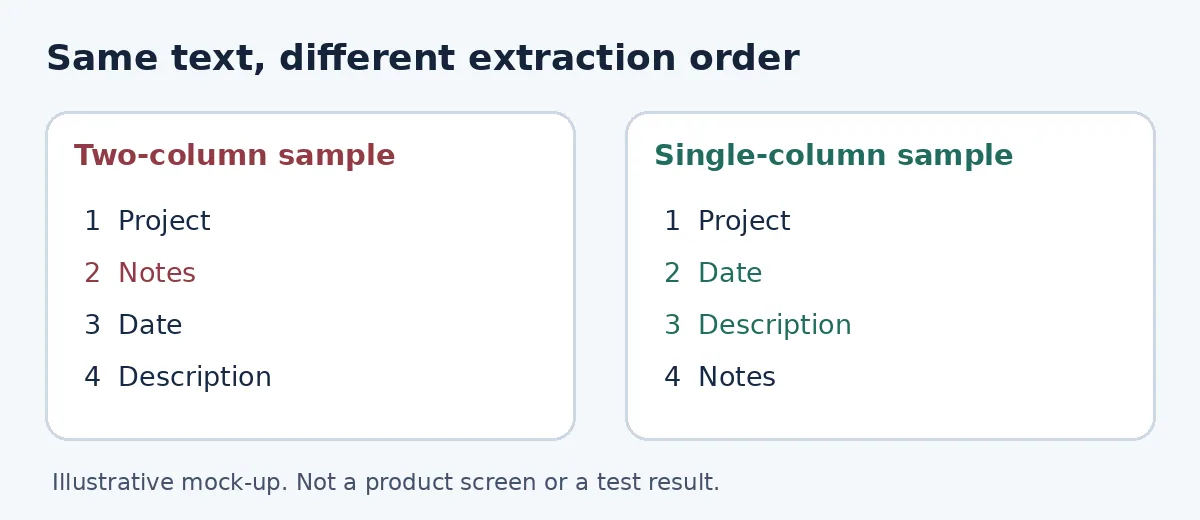
Original example, not a product screen or result. Check which project owns the date and description before reading alerts.
Check whether alerts tell you anything new
If you choose to submit identification-free synthetic text, compare only the formatting alerts for the two samples. If the form needs a job description, use the same fictional description in both runs. Do not use the score as the pass criterion. Warnings are clues. If they add nothing you can verify, use your current document tools and the plain-text check, without buying a report. If a warning reveals a reproducible problem you missed locally, compare how much explanation you can see before paying, the time per scan, and how many versions need exporting. A score is not proof of how a particular employer’s system reads the file. Do not use it to screen real applicants or infer a hiring outcome.
Content note:This article is based on publicly available information and is intended as a reference for evaluating tools. Features, pricing, and related policies may change at any time; please refer to the latest official information.
Original source:www.atschecker.ai