Choosing Atuin: verify what local history records before considering sync
Atuin makes similar actions easier to find across projects. Use three synthetic records to test what is searchable, what is excluded and what predates the rules.
The same terminal action can mean different things in two projects. A keyword hit does not prove you found the right record. Atuin stores shell history in a local database and can narrow searches by context such as session or directory. That is the main reason to switch if you move between projects frequently. If native history is enough, or terminal input must not be recorded, keep the existing setup or a managed environment.
Two ways a record can be missing
Start with an isolated test environment containing no real history or keys. Prepare three synthetic, non-executable labels: A is an ordinary record worth keeping; B mocks an internal marker that must not be collected; C is a legacy marker placed in the test history before the exclusion rule. Check directory-scoped search for A only. Then, within the authorized test scope, check B and C separately for actual presence. Not finding B inside one directory may simply mean the scope is wrong; it does not prove it was never recorded.
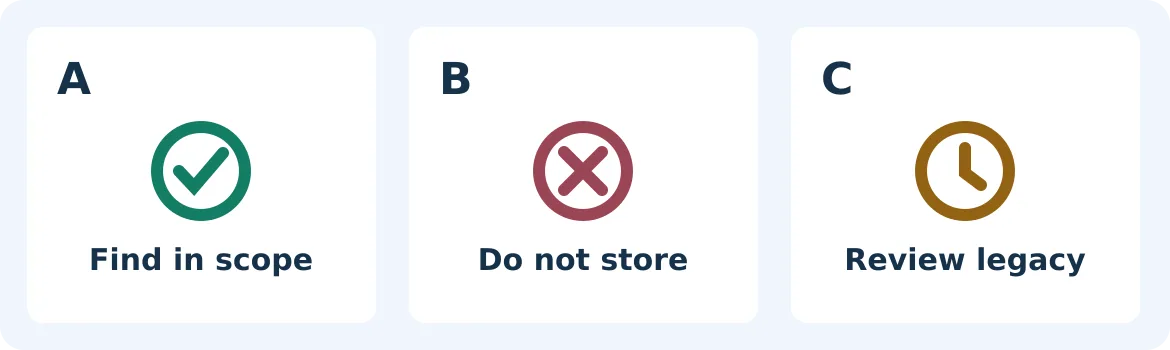
Synthetic acceptance illustration, not a screenshot or test result. Missing from a directory search is not proof of non-capture. New exclusions and legacy handling are separate.
Atuin’s versioned docs distinguish search scope from capture filters. history_filter constrains newly captured matching text. secrets_filter only recognizes certain credential formats; do not assume it also recognizes your custom identifiers or arbitrary sensitive text. The official v18.1 release treats existing entries as a separate step. This acceptance design imports no real history, displays, copies or exports no real commands, and performs no deletion, installation or sync. If old entries may contain sensitive material, ask the environment owner to assess them under existing retention and incident procedures. Changing the rule is not the same as resolving an incident.
When a second device is worth considering
Only assess sync after local tests repeatedly find A in the right scope, show that B did not enter the test records, and verify and handle C separately under policy. The vendor describes end-to-end encryption for sync; it does not remove endpoint access boundaries or authorize enabling synchronization. Stay local or do not deploy if the team cannot define what must not be recorded, who can inspect the test environment and how unexpected capture is handled. Budget for maintaining rules in each shell, retesting version changes and investigating false captures. Expand only when the search time saved plainly outweighs that work.
Content note:This article is based on publicly available information and is intended as a reference for evaluating tools. Features, pricing, and related policies may change at any time; please refer to the latest official information.
Original source:blog.atuin.sh