Is Audie worth using for an audiobook sample? Check the track split on two chapters
Audie proposes chapter breaks and exports individual MP3s. Use two chapters you wrote to check track order and boundaries, and separate time saved on splitting from the remaining cost of regenerating and preparing files for distribution.
If you have the rights to make an audio version of your manuscript and want to hand an editor or a test listener a sample they can navigate by chapter, Audie is worth evaluating with two chapters first. Its workflow detects chapters in the manuscript, lets you correct the split before generation, and delivers audio by chapter. If the narration is already recorded and only needs to be cut and named, marking and exporting tracks in an audio editor is usually a better fit than synthesizing it again.
Write the track list before looking at detection results
Audie’s Word and EPUB conversion guide says the tool proposes breakpoints from headings, numbering and structural cues. The author can adjust them before synthesis and download one MP3 per chapter after generation. The company also says authors need to decide which level deserves a separate track when parts contain chapters. Being able to review and correct the list is the attraction here; the documentation cannot prove that a particular manuscript will split correctly.
Imagine a short story you wrote: a dedication that should not be narrated, a Part One title and two chapters, with a scene heading in the second chapter that looks like a chapter title. The sample should have exactly two tracks: the first begins with the text of Chapter 1, the second with Chapter 2. Do not read the dedication or give the part title its own track; leave the scene heading in Track 2. Write down the expected file order and each track’s first and last lines. Do not accept the result simply because the tool also lists two items. It could put the part title on one track and both chapters on the other, giving the right count but the wrong handoff.
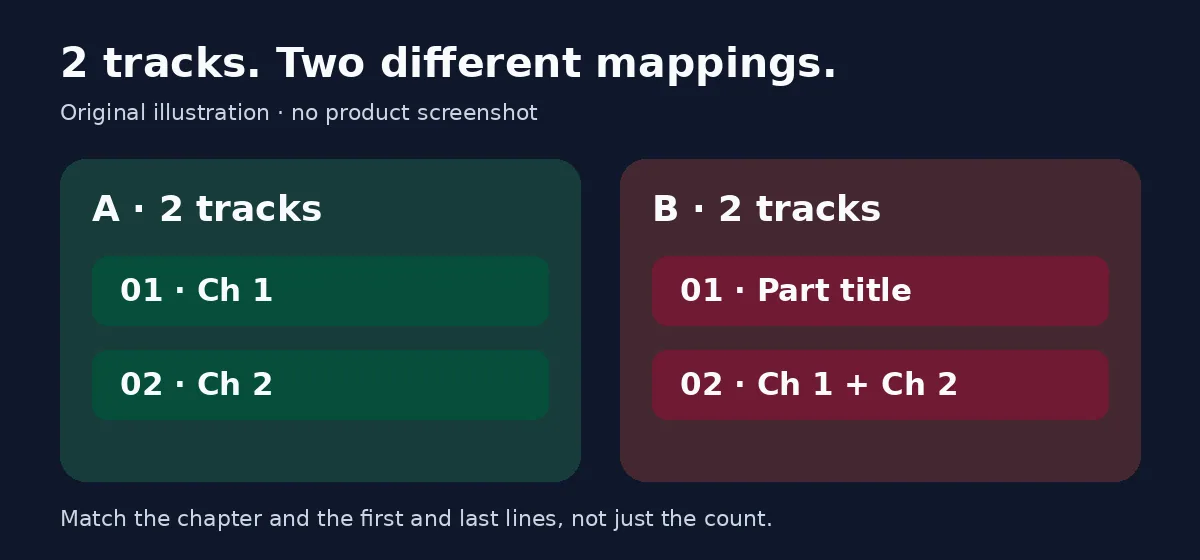
Same track count, different mapping. Match the chapter and the first and last lines of each track to catch the second split. This is not an Audie screenshot or a test result.
Verify the edges before producing the rest
Check the proposed split against your list. Find out whether you can merge or exclude the stray part title and keep the scene heading inside its chapter. If you cannot see or adjust the breakpoints clearly, do not use your whole book for trial and error. If the short sample can be generated, download it and listen at the beginning and end of each track and around the scene heading. Check for omissions, repetitions, reversed order and unintended narration. Listen to both chapters before judging pronunciation, pauses and whether speakers are easy to tell apart. This is an acceptance design, not a test already performed. Use only stock synthetic voices with clear permissions or recordings of your own voice, and do not imitate real people.
Compare the incremental costs of the two routes. With a clean EPUB or a Word manuscript with chapter styles, record the time required to prepare the source, correct breaks, regenerate and hand off the files. Compare the same two chapters with manual splitting or self-recording. Before paying, confirm that the tracks you need can be exported and how regeneration is billed. If you plan to distribute the audiobook rather than use it for internal review, check the channel’s file and synthetic-voice requirements separately. Chaptered MP3s help with editorial acceptance, but do not automatically meet any distribution channel’s requirements.
Scale to the whole book only if the voice fits the project, both tracks pass the boundary check, and correcting splits takes less work than cutting by hand. Keep the editor or human recording workflow if chapters and body text are often mixed, you need close direction of the performance, or you already have a recording whose voice you do not want to replace.
Content note:This article is based on publicly available information and is intended as a reference for evaluating tools. Features, pricing, and related policies may change at any time; please refer to the latest official information.
Original source:www.audie.ai