Use AutoAE interface animations for intros, not as product demos
Check whether an AutoAE status animation is readable and implies nonexistent features using a fictional stock card, then choose a template or recording.
When cutting a short product video, AutoAE is worth considering for an opening cue, such as using a change of status to tell viewers what comes next. It is not a substitute for a demonstration that must establish a real button, delay or interface. AutoAE’s changelog lists animations for cursor-triggered text reveals and changes in availability or online indicators. These give editors a ready-made visual rhythm; a glowing icon in a template does not prove the software is running.
Compare with a fictional stock card
Suppose the video explains one flow: a blue item first reads “Pending approval” and later “Ready to collect.” Prepare a static before-and-after card, then use the same original material for a template intro or a vendor demo. Ask someone unfamiliar with the flow to watch the intended framing without sound. They should be able to read both statuses, name the order and recognize the intro as an illustration. Freeze a frame before and after the transition. If the title covers the status or an invented button suggests one-click pickup, shorten or redo the animation, or return to the static card. This is a proposed evaluation, not a test we ran in AutoAE.
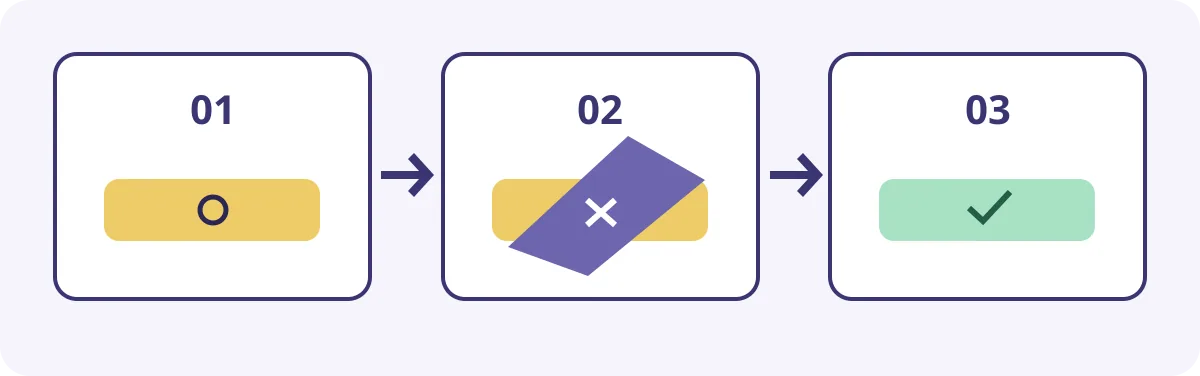
Original state sketch, not an AutoAE screenshot. A transition can emphasize change without swallowing text or passing as an actual recording.
For training, viewers must also know the real entry point and what happens after a click. Use the template at the start and show the procedure in an authorized recording of the real interface. Do not add an exact response time to an illustrative shot or use a screenshot or template to simulate a nonexistent feature. A recording is not always an option either: without permission, or with real customer data on screen, explain the concept with a card you made instead of exposing the data for realism.
Include review and revision time. Suppose manually editing a static card takes 12 minutes. Choosing a template, swapping material and rendering takes seven, while a second reviewer and revisions add eight. Motion then takes 15 minutes, three longer. The numbers are assumptions, not speed results or quotes. If the animation can be reused, recalculate using actual times on the next clip. For size, backgrounds or later editability, confirm with an intended delivery sample rather than inferring export behavior from marketing visuals. Adopt it only if several videos need the same status cue and the template preserves the information boundaries.
Content note:This article is based on publicly available information and is intended as a reference for evaluating tools. Features, pricing, and related policies may change at any time; please refer to the latest official information.
Original source:autoae.online