Choosing Aximote: a blank field in a trip export is not zero
Compare units, missing fields and coverage with a fictional trip table.
For periodic offline summaries of your own trips, Aximote merits comparison for CSV and XLSX exports documented by the developer, not for another metric to watch while driving. Its app history lists these formats and the pricing page separates export access. Check your device, vehicle and proposed plan for the required fields. A file export does not mean every segment has the same data.
Set an acceptance test using two synthetic rows. Trip A is 20 km with an energy value of 0 kWh in the fictional table. Trip B is 30 km with the energy field empty. The distance covered by rows with a value is 20 km, not 50 km. Filling B with zero cannot justify declaring that neither trip used energy. Ask for sample units, missing markers and aggregation rules without routes, timestamps or identities. This is not product output or an actual trip.
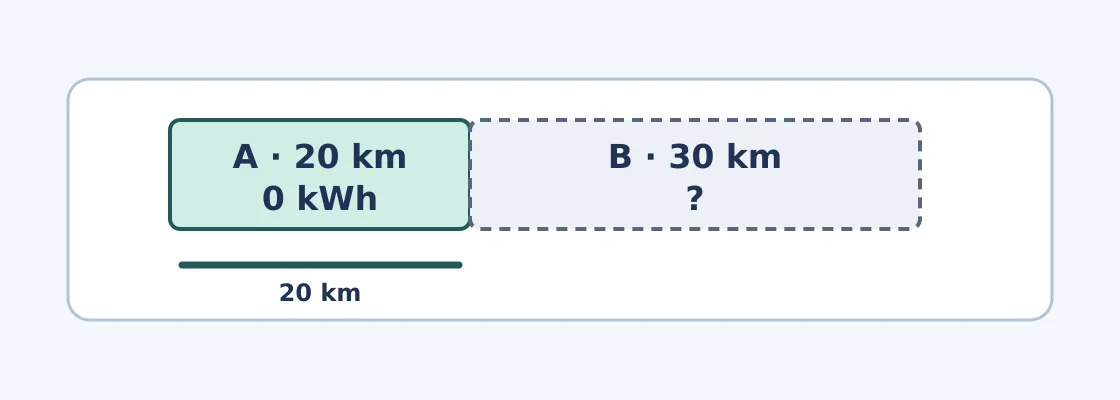
Original paper example, not an in-car display. The question mark means unknown; energy coverage is only 20 km.
If you only check total distance occasionally, dashboard logs or a manual table may be enough. With many monthly rows, compare export charges, cleaning time and whether unknown values stay unknown. Adopt only if the offline table preserves units and coverage and takes less work than copying by hand. Assess after parking or on paper, never by testing driving behavior or real roads.
Content note:This article is based on publicly available information and is intended as a reference for evaluating tools. Features, pricing, and related policies may change at any time; please refer to the latest official information.
Original source:apps.apple.com