Beautiful.ai guide: what can your colleague change after a PowerPoint handoff?
Use one fictional event slide to check editable and static handoffs. Verify seat count, the footnote, speaker notes and the receiver’s fonts.
If your team designs in Beautiful.ai but the next owner must change numbers in PowerPoint, rather than just present, check the delivery format before choosing. A static copy is often enough for a final reference. If almost every step goes back and forth through PowerPoint, making that the source may save one round of repairs.
Read one slide, then ask the recipient to make one change
Beautiful.ai’s official export guide from August 2026 distinguishes editable PowerPoint and PowerPoint Images. It lists editable exports for Pro, Team and Enterprise at that time. The image route makes static slides whose content cannot be edited directly, but retains speaker notes. The vendor warns that missing fonts on the destination can change layout and its transitions and animations do not carry to external platforms. Opening a .pptx does not mean layout, notes and editability all passed.
Use a fictional event slide for a paper exercise: Tuesday, 12 seats, advance booking required in the footnote, and a speaker note to explain the booking rule first. Ask someone unfamiliar with the slide to read the day, count and restriction. Then evaluate the proposed PowerPoint handoff: could the recipient change only 12 to 14 without covering the footnote or losing the speaker note? Adding text over an old image is not editing its content. A substituted font pushing the footnote out also fails. No account, upload or real export was used here; the diagram shows two checks.
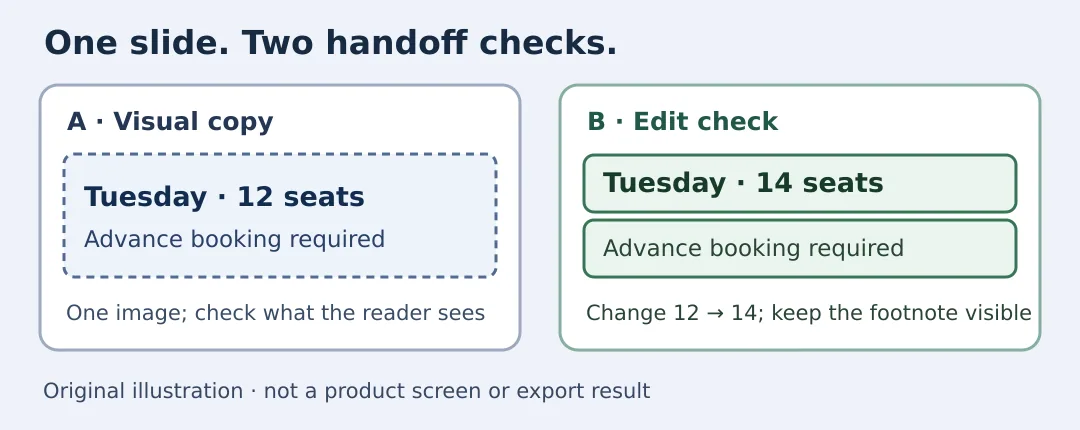
Original illustration, not a product screen, test or export. The booking footnote must remain in either case.
Include the subscription, font substitution, layout repairs and final review in the cost. Beautiful.ai has a handoff advantage only if the recipient can make the change and the audience can still read everything without a round trip. A static copy suffices if it passes reading review and people only need to see it. If every small change needs another export, or animation must survive, compare authoring directly in PowerPoint or using a format both sides can handle.
Content note:This article is based on publicly available information and is intended as a reference for evaluating tools. Features, pricing, and related policies may change at any time; please refer to the latest official information.
Original source:support.beautiful.ai