Is BestPhoto worth using on an old paper card? Remove scratches without inventing missing details
Use a self-made geometric card to distinguish a blank-margin scratch, obscured text and a fine line, and a missing corner of unknown color. Compare the checking effort for Restore Only and manual cleanup while keeping the original scan.
If you are organizing old paper cards you drew yourself and want to remove harmless scratches before sharing readable copies, BestPhoto is worth considering. It should not decide what an unreadable character was or establish the original color of a missing area. Ask what can still be traced to the scan, not which copy looks newer.
A scratch in the blank margin is not the same as one across a label
BestPhoto’s official article distinguishes Restore Only from restoration with colorization and says that adding color to a black-and-white source involves guesswork. The distinction matters for a cleanup copy: consider surface blemishes without turning an unknown color into a definite one. Restore Only still does not guarantee that edges, fine lines and lettering will remain intact. This is an acceptance design, not a test of the vendor’s claims.
Imagine a scan of your own geometric card. A scratch runs through the blank left margin; another crosses the last character of a label and a fine line. The upper-right corner is missing, and no reliable reference tells you what color it was. Record all three in the checklist. The blank area can be cleaned. If the final character is unreadable, keep “last character unclear,” rather than adding a letter that seems plausible. Restore a line only if the evidence shows where it ran; leave an unresolved gap. Do not color the corner or call a new color a restoration. Even a visually clean image fails if it changes those details without evidence.
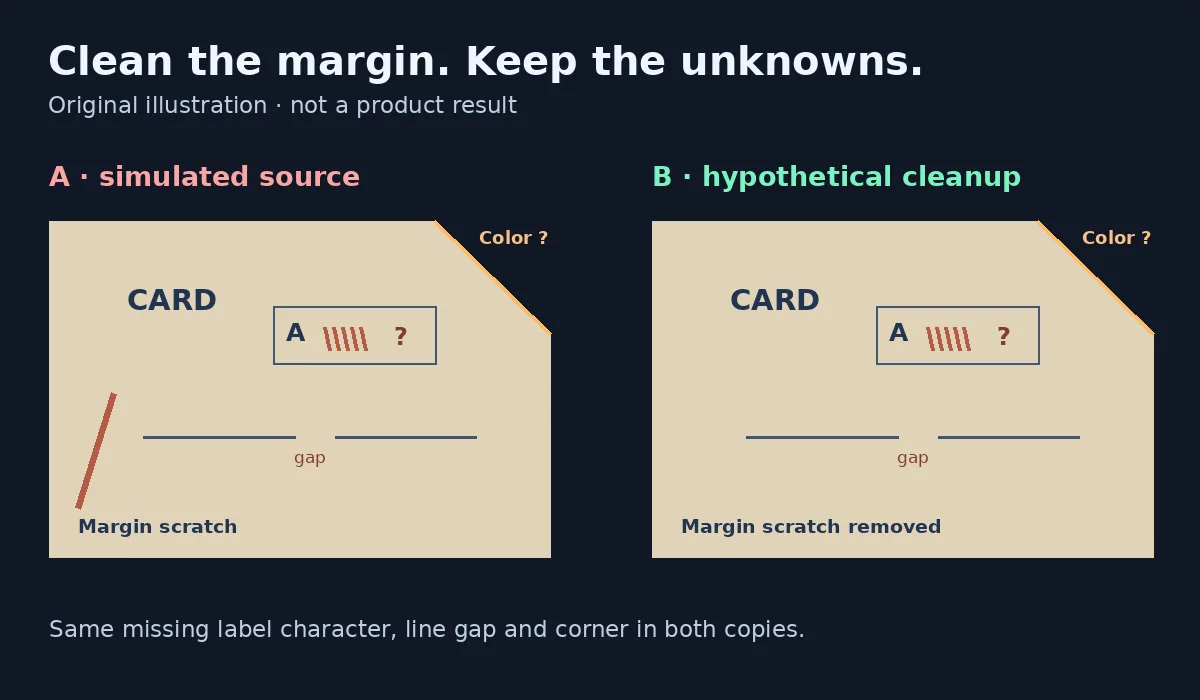
Separate defects in blank areas from damage to information. Clean the former locally and mark what cannot be confirmed in the latter. This is an original illustration, not a BestPhoto result or test.
Removing only known defects is a valid choice
Put the same fictional card through two paper workflows. One locally repairs only the blank left margin in a copy. The other treats BestPhoto Restore Only as a candidate and checks each area against the original scan. At the same viewing size compare the label, line and corner, then zoom in on anything that could have been redrawn. Record edits, the reason for each and which unknowns were left alone. Hand over the original scan and a separate cleanup copy rather than replacing the original. No material was uploaded to the service, and the product was not installed or run for this article. It uses no real people, portraits, photographs or third-party works.
Before buying, compare preparation, checking, undoing edits and delivering replacements. BestPhoto is worth adding only if a batch repeatedly contains clear defects in blank areas and candidate copies can consistently pass review by area. For one or two obvious scratches, local manual work is usually more direct. If the main task is reading a damaged label, finding another record or retaining “cannot confirm” is more useful than regeneration. Separately check if real material can go to an online service, the output you require and total cost. Do not infer current prices, tiers or privacy terms from a historical article.
Content note:This article is based on publicly available information and is intended as a reference for evaluating tools. Features, pricing, and related policies may change at any time; please refer to the latest official information.
Original source:bestphoto.ai