BibleImages buying guide: Check projection framing and usage rights first
A paper comparison of a self-made illustration and BibleImages separates private drafts, provider processing and Gallery publishing.
When planning illustrations for study slides, BibleImages brings reference search, image prompts and generation into one studio, useful if you want to explore compositions from a Scripture reference. Its September 2026 privacy notice separates private creations from intentional publication to the Gallery. The prompt and selected context can still be sent to an outside model provider, and withdrawing public artwork does not retrieve copies already downloaded.
Draw two original sketches on paper without generating or uploading. For an imaginary slide about a journey, draw only a path, a sign and open ground, with no people or reproduced passage. Reserve a title area in wide and tall layouts. At the actual display size, check that the sign is not cropped and that the title remains legible. Keep the Scripture reference in the slide’s text layer rather than baking generated lettering into the picture.
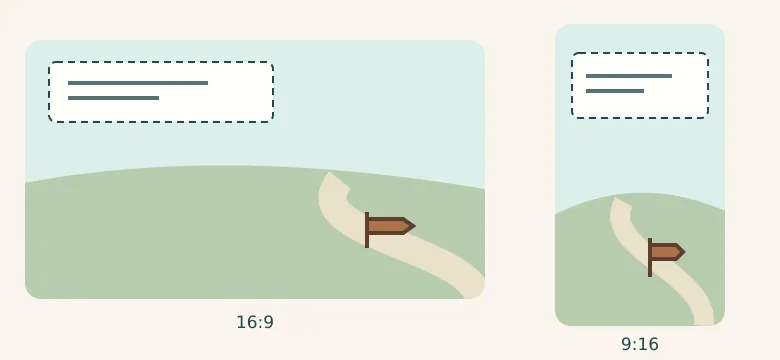
If a simple diagram explains the route, draw it yourself or use assets you already have permission to use. If several compositions are really needed, compare review effort, rework and credit limits, then check model terms and the final use. A Gallery download is not permission to republish. Do not choose it for final artwork that cannot be processed outside your organization or needs an exact reconstruction of a historical scene.
Content note:This article is based on publicly available information and is intended as a reference for evaluating tools. Features, pricing, and related policies may change at any time; please refer to the latest official information.
Original source:www.bibleimages.app