BlinkLife guide: Once you find an old note, how do you tell which one counts?
Use three fictional exhibition notes to check whether you can identify the right object and distinguish a tentative location from a confirmed one before writing a task.
A note found is not a task approved
In its official walkthrough recorded in July 2026, the BlinkLife team demonstrated Notes and tasks separately and described keeping both in a project. For someone who makes personal to-dos from scattered notes, the appeal is keeping the evidence and the next step in the same project. The walkthrough does not show that the tool detects which note has been superseded or that retrieving an old note means a task has been approved.
Check the distinction with three notes on paper
Imagine three notes for a fictional exhibition. Monday reads: “Tentatively put the zigzag display board on the north wall.” Tuesday reads: “East wall confirmed for the zigzag display board; this replaces Monday’s tentative location.” A third note reads: “Put the zigzag display stand on the south wall.” The board and stand have similar names but are different objects. The east wall is the only board location you can turn into a task. Mark the north wall as superseded and keep the south wall out of the board task.
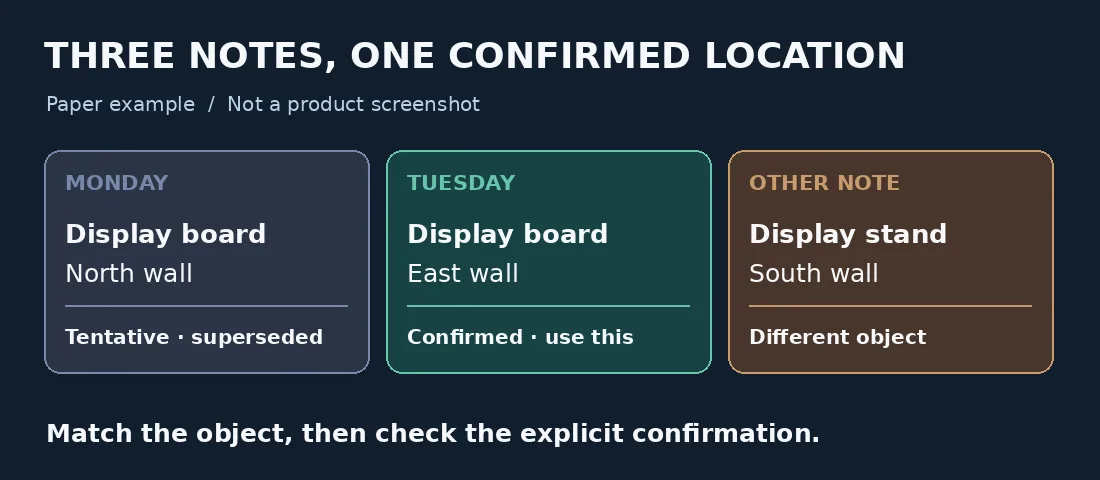
The basis for the task is Tuesday’s explicit confirmation for the same board, not the timestamp or similar wording. Original fictional example, not a product screenshot.
Point to the sentence that justifies the decision
Do not judge the result by how many notes you found. Check that the location refers to the zigzag display board, then point to the sentence that explicitly confirms the location and replaces the old one. A later date, similar name, or repeated location does not pass the check. Without Tuesday’s confirmation, the north wall would still be tentative even if you found the note. Leave the location for review rather than recording it as confirmed. This is a paper example, not a BlinkLife test; no account is created, no calendar is connected, and no real notes are uploaded.
When is BlinkLife worth considering?
If you regularly turn repeatedly revised personal notes into next steps and are willing to retain the evidence and review it yourself, putting notes and tasks in one project is worth considering. For a short checklist, two columns for tentative and confirmed will do. If a formal handoff calls for approvals, owners, or version history, use your team’s established record as the authority, not the results of a personal note search.
Content note:This article is based on publicly available information and is intended as a reference for evaluating tools. Features, pricing, and related policies may change at any time; please refer to the latest official information.
Original source:support.blinklife.com