Choosing Caimera: A better-looking draft must not add a part
Use homemade geometric cards to check whether Caimera’s flat-lay-to-catalog workflow preserves the color, position, and number of details.
If your team wants catalog pictures from flat-lay references, judge Caimera by whether the new composition keeps the identifying details, not just how neat it looks. The vendor’s February 2, 2026 update lists object rendering and color as improvements to Flat Lay to Catalog. Those are two things to check, not proof that any generated picture matches its source.
Draw three abstract cards, not real objects. The reference has an indigo rectangle with a single white dot in the upper right. Draft A keeps it; draft B adds a second dot. Have the reviewer count the dots and compare their area and color before discussing aesthetics. If the second dot reads as part of the design, B fails even if the arrangement is neater. This is a paper exercise: no people, generated merchandise images, uploaded materials, or external presentations.
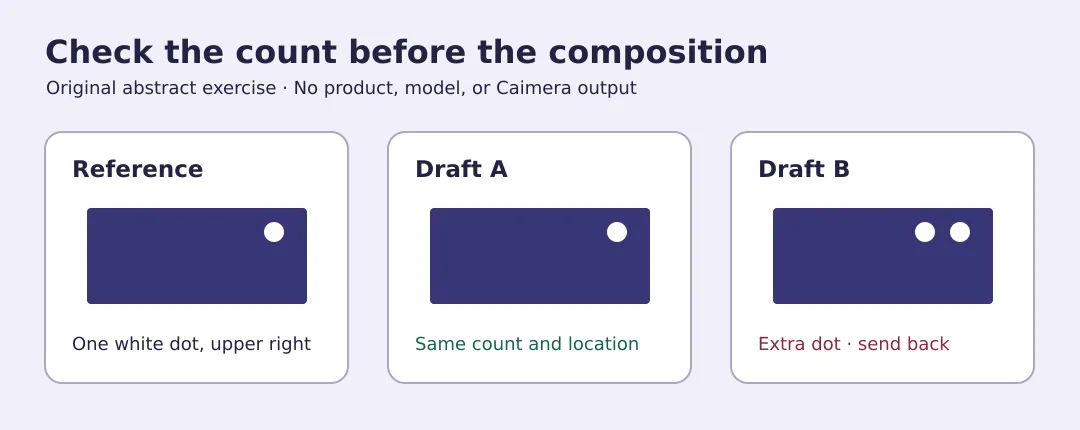
If the catalog only needs accurate detail, keep an approved, authentic source image rather than replacing it with a decorative draft. Evaluate Caimera only when the team can match each image to its reference and actually needs multiple compositions. Mark unverifiable color, position, or parts as uncertain; they are not evidence of what the object looks like.
Content note:This article is based on publicly available information and is intended as a reference for evaluating tools. Features, pricing, and related policies may change at any time; please refer to the latest official information.
Original source:app.caimera.ai