Choosing Capptivo: After zooming in, can viewers tell which control you mean?
Use a handmade storyboard to assess Capptivo’s follow-cursor zoom and annotations without losing the label that identifies the control.
When you explain an internal interface, judge Capptivo by whether the zoomed image tells viewers which control they are looking at, not just whether it tracks the cursor. In the August 2026 launch, the maker describes follow-cursor zoom and on-screen annotations such as pen marks and shapes. These can highlight an area but do not guarantee that a crop keeps the text identifying the control.
Draw a fictional interface on paper with ‘Exhibit color’ and ‘Page color’ rows, each with the same swatch. A shows only the enlarged swatch and cursor. B keeps the ‘Exhibit color’ label in the zoom. Ask a colleague to name the setting from the cards alone. Mark A unknown if it cannot be identified; B passes only if the label is readable. Neither card is a real recording. No person or device is recorded, and nothing is installed, uploaded, or sent out.
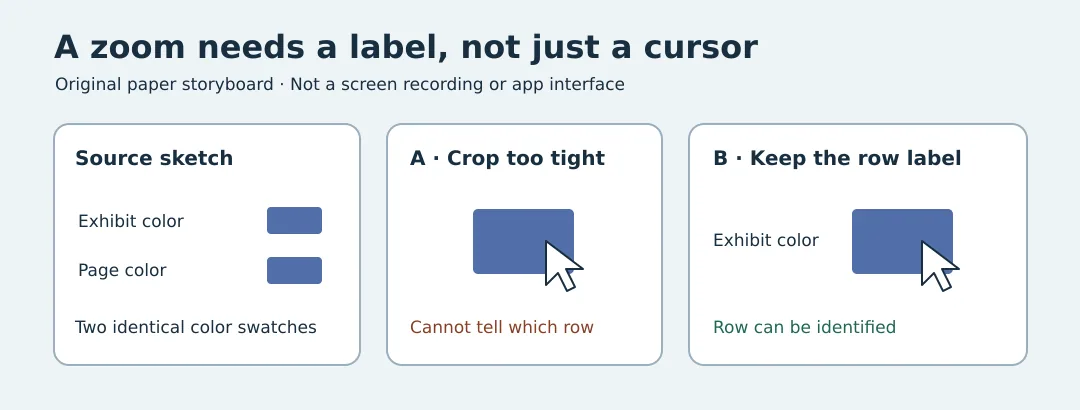
For one fixed button, a labeled screenshot or diagram is enough. Capptivo’s zoom and annotation are worth evaluating when the demo repeatedly moves between controls and a person can check that each close-up retains the relevant context. A more prominent cursor does not make the explanation clearer on its own.
Content note:This article is based on publicly available information and is intended as a reference for evaluating tools. Features, pricing, and related policies may change at any time; please refer to the latest official information.
Original source:www.producthunt.com