Charm Shot AI guide: After adding a background and padding, are the key lines still visible?
At small sizes, compare pale lines, numbers and annotation spacing before choosing a light makeover or keeping the original.
When arranging several illustrations in documentation, Charm Shot AI is worth comparing if you want to change the space around the images without changing what they explain. The developer's April 2024 release post mentions automatic background color detection and text layout adjustment; a June 2024 Devpost project describes it as a screenshot editor. Those are vendor descriptions, not a test or proof that small illustrations remain legible.
Draw an original box with a pale fine border, the number 02 and an arrow pointing at that border. Make two geometric images of equal width. A has narrow padding and dark annotations; B has wider outer padding so the same shape is smaller, deliberately making the pale border hard to distinguish against a similar background. Compare both at normal reading width and as thumbnails. Readers must read both digits in 02 and say that the arrow ends at the border, not outside the illustration. Neat spacing does not pass if people misread a digit or point to the wrong place. This is a paper illustration, not a product screen or output.
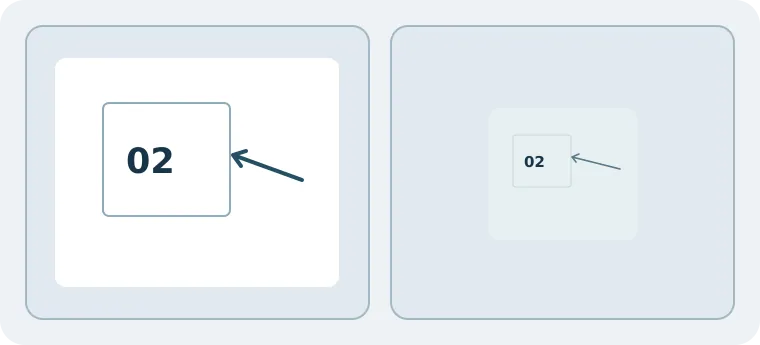
For a single image, or when pixel-for-pixel comparison at the original scale matters, a little padding in a local drawing tool and keeping the original is usually easier. Compare further only if you have several images and crucial details stay legible when small. Account for rework, keeping the originals, and whether your team can get the dimensions it needs. No real people, screenshots, client material or ads were used, and no account was registered or example sent to the service.
Content note:This article is based on publicly available information and is intended as a reference for evaluating tools. Features, pricing, and related policies may change at any time; please refer to the latest official information.
Original source:www.reddit.com