ChefGPT buying guide: A merged list may not account for stock
Two fictional item sets test compatible units, known stock and what must be left open.
Separate planned needs, stock and the gap
ChefGPT’s developer describes PantryChef for ideas based on items on hand and MealPlanChef for a consolidated list from a weekly plan. Version 3.0.0 also records pantry and list changes. Compare whether the figures reconcile; do not assume the list automatically deducts stock. This does not evaluate food, diets, recipes or purchasing.
Merge matching units and keep unmatched units
Make two fictional paper plans with letter-coded counters. Each lists one pack of A, and the stock card confirms one pack. B is listed as one pack in one plan and two pieces in the other; the conversion and stock are both unknown. Ask a reader to state total demand and remaining gap using only the three sheets. No ChefGPT usage, food or ordering.
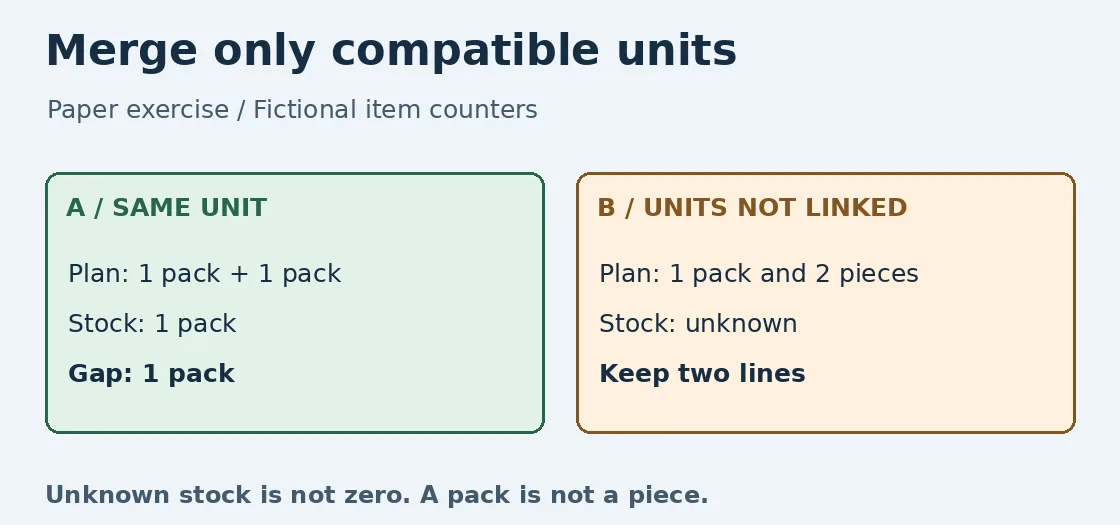
Original paper illustration, not a ChefGPT screenshot or test. A has a calculable gap; B needs two separate rows.
A needs two packs, holds one and is short one. For B retain “one pack” and “two pieces” separately; do not add them into three or treat unknown stock as zero. Two packs marked to buy for A, or B without units, fails. This is paper verification, not a ChefGPT test or a claim that all versions behave alike.
When one sheet is enough
If the same items recur across plans, compare any counting time saved with time to confirm units and fix stock. For a short list with few repeats, columns for need, stock and to verify are enough. If units or stock are missing, find the source first instead of treating a tidy list as ready for purchase.
Content note:This article is based on publicly available information and is intended as a reference for evaluating tools. Features, pricing, and related policies may change at any time; please refer to the latest official information.
Original source:apps.apple.com