Claspo buying guide: put the notice in the page or over it?
Use one fictional maintenance notice to compare reading order, obstruction and a fallback that stands alone.
If your team maintains multiple instructions pages and needs a notice that collects no information next to the relevant text, compare Claspo’s inline and overlay layouts. The vendor’s August 31, 2026 article distinguishes pop-ups from embedded layouts. We use only that distinction, not the promotional uses in the article. An inline notice is part of the page; an overlay floats above it. That does not guarantee reading order, accessibility or compatibility on a real page.
Draw a fictional model exhibition maintenance page with Entrance, Opening Hours and Alternate Route in that order. Both sketches say “The north corridor is closed on Saturday.” In A, insert the notice after Entrance and before the route; in B, use it to cover the route without moving the underlying text. Ask an adult editor to read from Entrance to Alternate Route and repeat at a narrow width. Pass only if the notice and route are readable in order without moving a layer or guessing covered text. Remove the notice; the route must still be readable in the body. This is neither a real premises notice nor an interface test.
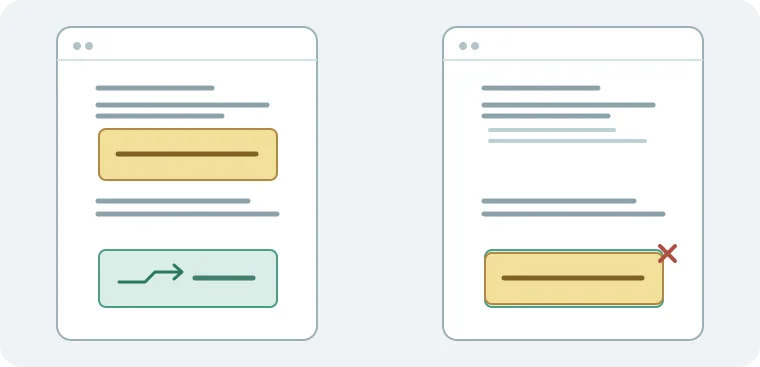
For one page with infrequent updates, writing the notice directly into the body is usually simpler. If you maintain multiple layouts and need the context to hold together, compare narrow-screen reflow, who updates the notice and who preserves the original wording when the component is removed. No placement, data collection, tracking, persuasion, login, installation or connection was involved.
Content note:This article is based on publicly available information and is intended as a reference for evaluating tools. Features, pricing, and related policies may change at any time; please refer to the latest official information.
Original source:claspo.io