Attio buying guide: where to track sales and partnership stages for the same company
Test whether Attio can share a company profile without letting sales stages overwrite partnership progress.
A company is negotiating a purchase and considering a joint event. Sales says “Quote sent,” while partnerships says “Date pending.” Both are right. In a CRM with one status field, the next update can overwrite the other workflow’s progress. Attio is worth evaluating because shared details can live on the company record as object attributes, with workflow details stored as attributes of list entries. Attio’s help docs distinguish the two; its May 2023 changelog already listed records, list entries and list attributes separately.
One company, two workflows
Give the fictional Birch Valley Workshop one company record with its office in the North region. Add it to a sales list at “Quote sent” and a partnership list at “Date pending.” Region describes the company. Each stage describes its position in one process. A generic company-level follow-up stage cannot hold both answers.
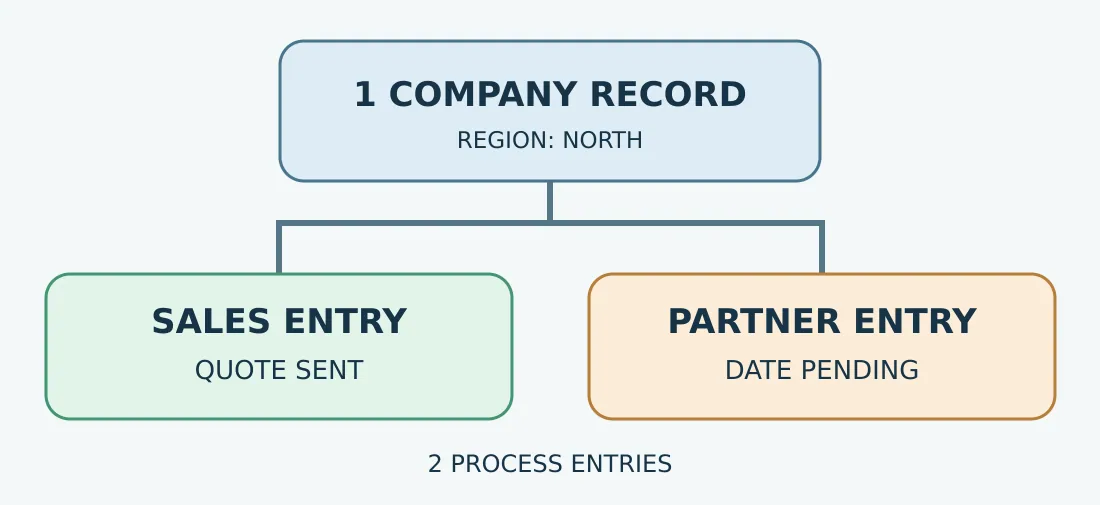
Original model diagram, not an Attio screen. One company record, two workflow entries. Do not conflate the counts.
In a buying demo, use fictional data and check three things. Move only sales to “Contract review”; partnership should remain “Date pending.” Move the company from North to East; both lists should show East when viewing the same company. Count one company and two list entries. These are acceptance criteria, not test results. If teams have different access needs, ask an administrator to check the record and list views under the relevant roles. Different lists do not prove access separation.
When not to switch
If one person maintains one workflow and the spreadsheet does not create extra copies, keep it for now. If the same company has two sales opportunities with different amounts, dates and stages, model them as linked Deal records rather than forcing them into one company status. Before migrating, test ten legacy records that each carry two stages, using existing company IDs to catch duplicates and lost stages. Compare seat needs, whether reports and exports count companies and workflow entries separately, and work needed to clean both field groups. Switch only if the saved upkeep warrants it.
Content note:This article is based on publicly available information and is intended as a reference for evaluating tools. Features, pricing, and related policies may change at any time; please refer to the latest official information.
Original source:attio.com