DoneCut buying guide: review the edit in preview, but check small details in the delivered file
Review cut order and tiny marks separately. A preview is not proof that every edge is legible in delivery.
The October 11, 2026 launch record describes DoneCut's watermarked preview and delivery after review. The website also lists preview as a separate step. Distinguish whether a review can produce useful edit notes from whether the delivered file meets fine-detail requirements. A preview can show sequence; it cannot establish a detail hidden under a watermark.
Imagine three original geometric cards: square, triangle, circle. The triangle should appear only in the middle and carry a small tick at lower right. In a fictional preview, square and triangle are switched and a translucent diagonal band covers the tick. Give two notes: fix the order first; check the tick in the delivered file. Invisible does not mean missing, and correct order does not verify the tick. Use an unobscured delivery card to check that the tick is complete and in the agreed place. The example doesn't assume DoneCut's watermark always covers that area.
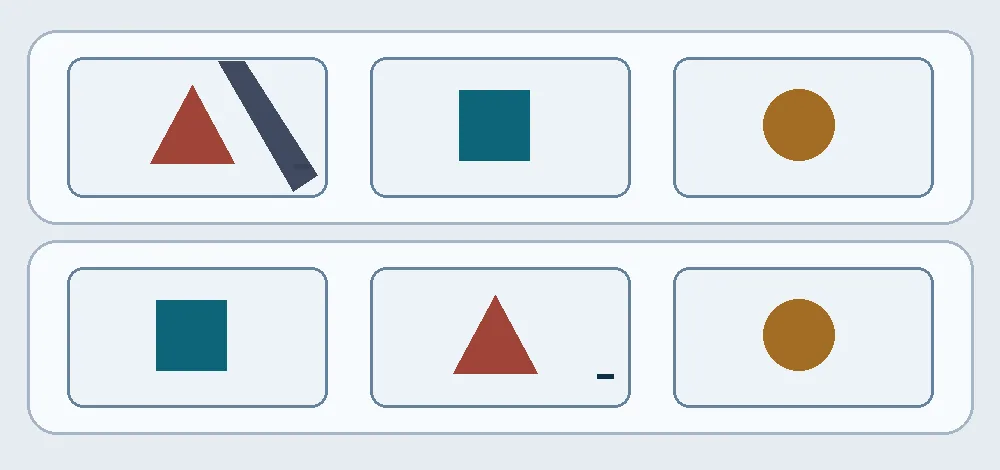
In the upper preview, flag the swapped square and triangle first. The lower example lets you read the small tick. The band is not DoneCut's watermark design.
If wrong cut order often costs a round of rework, seeing the whole edit before delivery is useful. If tiny labels or edges must be seen before finalizing, confirm that the preview can support that review. Otherwise local editing or an existing process that exposes the whole track may save discussion. Account for the scope of revisions, final format, upload rights and review time. This is a paper example, not an upload or order, and it promises no speed, price or revision allowance.
Content note:This article is based on publicly available information and is intended as a reference for evaluating tools. Features, pricing, and related policies may change at any time; please refer to the latest official information.
Original source:donecut.com