AICommit
AICommit is a paid JetBrains IDE plugin that generates editable commit messages from staged changes with cloud or local model options.
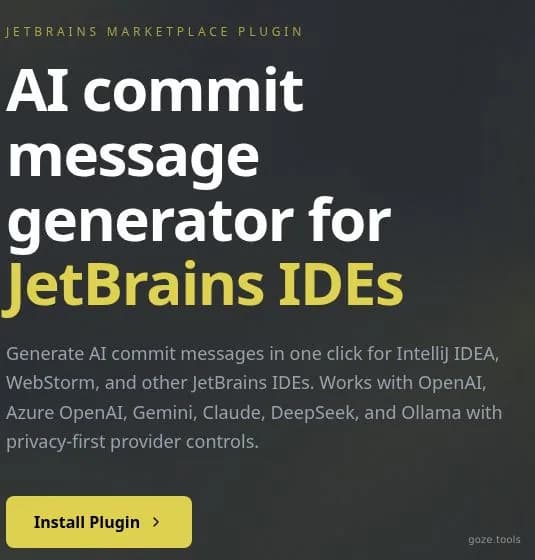
AICommit JetBrains plugin homepage
About AICommit
AICommit is a JetBrains Marketplace plugin for developers who want commit-message drafting inside the IDE workflow they already use. It reads the changes a developer has staged in the JetBrains Commit tool window, generates an editable commit-message draft, and lets the developer review or adjust the result before committing. The product is focused rather than broad: it is not a hosted coding agent or a public API, but a native plugin for IntelliJ-platform IDEs such as IntelliJ IDEA, PyCharm, WebStorm, GoLand, Rider, PhpStorm, RubyMine, CLion, Android Studio, DataGrip, and RustRover. Its strongest fit is everyday Git work where message quality matters but writing each message manually interrupts flow. AICommit supports OpenAI, Azure OpenAI, Google Gemini, Anthropic Claude, and Ollama, so teams can choose a cloud provider or keep generation local with Ollama. Buyers should treat it as a lightweight paid productivity plugin with a 30-day trial, low per-user pricing, and a privacy model that depends on the provider and model configuration chosen in the IDE.
Best for
Best use cases
A developer stages a mixed bug fix and test update, then generates a concise commit message directly from the JetBrains VCS commit panel before reviewing the wording.
A team standardizes on Conventional Commits and uses prompt templates so feature, fix, refactor, and release-note messages follow a predictable format.
A developer working in a restricted codebase routes generation through Ollama so staged diffs stay on the local machine instead of going to a cloud model provider.
A project switches between OpenAI, Azure OpenAI, Gemini, Claude, and local models as cost, availability, or data-handling requirements change.
A reviewer prepares a pull request with several small commits and uses generation history or templates to keep messages readable before pushing the branch.
Compare before choosing
Compare built-in JetBrains commit templates when the team only needs static formatting and does not want AI analysis of staged diffs.
Compare GitHub Copilot or other IDE assistants when commit-message drafting is only one part of a broader coding assistant purchase.
Compare CLI-based commit generators when developers work across many editors and prefer terminal-first Git workflows over IDE integration.
Compare local-only scripts around Ollama when the main requirement is maximum control and the team can maintain prompt logic without a packaged Marketplace plugin.
Features
Native JetBrains commit workflow
Generate commit messages directly from the JetBrains Commit tool window without moving to a separate web app or terminal workflow.
Staged-diff message generation
Use AI analysis of the selected staged changes to draft a relevant commit message instead of starting from a blank text field.
Editable output before commit
Review and edit the generated draft before committing, which keeps the developer in control of the final message.
Multiple provider choices
Configure OpenAI, Azure OpenAI, Google Gemini, Anthropic Claude, Ollama, or custom API endpoints depending on team policy and model preference.
Local-first option with Ollama
Use Ollama for local model workflows when staged diffs should stay on the developer machine rather than be sent to a cloud provider.
Prompt Lab and templates
Choose built-in templates, create custom prompts, set defaults, and use formats such as Conventional Commits or release-note style messages.
Broad IntelliJ-platform coverage
Use the plugin across major JetBrains IDEs including IntelliJ IDEA, PyCharm, WebStorm, GoLand, Rider, PhpStorm, RubyMine, CLion, Android Studio, DataGrip, and RustRover.
Pros
- The plugin stays inside the JetBrains Commit tool window, so it fits developers who already rely on JetBrains IDEs for Git operations.
- Provider choice is practical: teams can use cloud providers for convenience or Ollama for local-first generation.
- Generated messages remain editable, which reduces the risk of blindly committing an unsuitable AI-written message.
- The public pricing is low and simple for individual or commercial JetBrains Marketplace licensing.
- Official FAQ and agent-context pages clearly describe provider setup, local mode, Marketplace billing, and the absence of a hosted public API.
Cons
- AICommit is only useful for JetBrains users; teams split across VS Code, terminal-only workflows, or other editors may need a broader tool.
- Cloud generation can still send staged content to the configured model provider, so sensitive teams must set provider policy carefully.
- It focuses on commit messages rather than full pull-request review, code generation, issue planning, or repository automation.
- The standalone pricing route is not available, so buyers should confirm the current checkout details inside JetBrains Marketplace.
- Users must bring and manage their own provider credentials for cloud AI providers or operate Ollama locally.
Pricing Plans
30-day free trial
- Trial access through JetBrains Marketplace
- Installable JetBrains IDE plugin
- Editable commit-message drafts
- Provider and model configuration
- Evaluation before paid licensing
Personal
- Personal Marketplace license
- Commit-message generation from staged changes
- OpenAI, Azure OpenAI, Gemini, Claude, and Ollama support
- Prompt templates and custom prompts
- Editable output before commit
Commercial
- Commercial Marketplace license
- Business use under JetBrains Marketplace licensing
- Native JetBrains Commit tool window integration
- Cloud or local model configuration
- Provider-controlled credential setup
* Pricing information is for reference only. Please refer to the latest announcement on AICommit's official website.