Picsart
An all-in-one creative workspace for editing, design, stock assets, brand content, and AI generation.
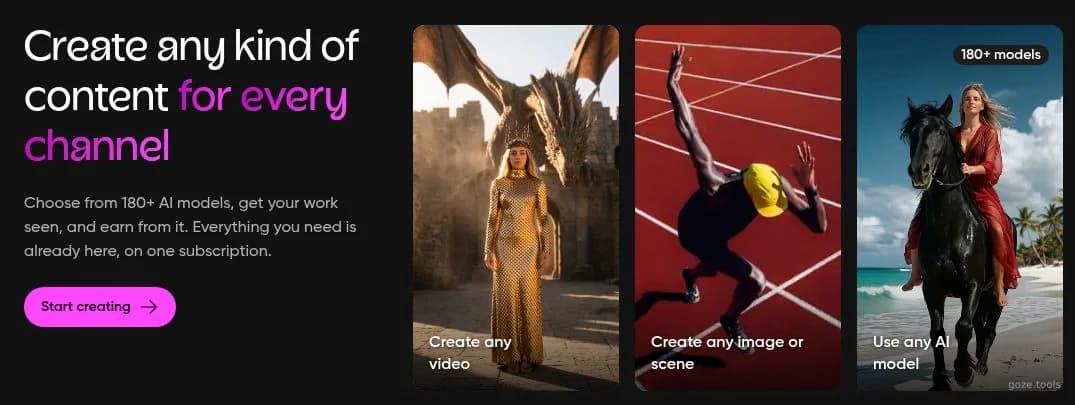
Picsart's official hero introduces image, video, and AI-model creation.
About Picsart
Picsart is an all-in-one creative platform for making and editing images, video, audio, and branded content. It combines standard photo and video editing with templates, stock media, generative AI models, background and object removal, image enhancement, bulk editing, and brand kits. Pro is aimed at everyday creative work and includes broad editing access, premium assets, 100 GB of cloud storage, and bulk processing for up to 50 images. Ultra raises usage for creators and teams, adds access to more than 140 AI models, supports larger bulk jobs, and provides 300 GB of storage per seat. Enterprise adds SDKs, creative APIs, configurable white-label editing, flexible billing, security commitments, support, and account management. The service can also fit developer workflows through its CLI and MCP connections for Claude Code, Cursor, and ChatGPT. Adoption depends heavily on expected generation volume: credits are fixed on Pro, Ultra costs more per seat, and Enterprise requires a sales conversation. Teams should also account for regional pricing, annual billing terms, storage allowances, brand-kit limits, and bulk-edit ceilings when comparing plans.
Best for
Best use cases
A campaign requires several formats, localized variants, reusable brand assets, and parallel AI video generations under one subscription.
An e-commerce production run needs background removal, enhancement, and bulk processing for dozens of product images at a time.
A software product needs a white-label editor with custom assets, flexible API billing, service commitments, and implementation support.
Compare before choosing
Choose Pro when everyday editing, premium assets, 100 GB of storage, and batches of up to 50 images cover the expected workload.
Choose Ultra when higher generation volume, access to 140+ AI models, larger batch limits, more brand kits, or team seats justify the higher cost.
Choose Enterprise when embedded editing, creative APIs, white-label configuration, flexible billing, SLAs, or a dedicated account manager are required.
Features
Create social and marketing content
Build posts, reels, ads, and localized variants with templates, stock assets, generative tools, resizing, and brand kits in one creative workspace.
Edit product and campaign images in bulk
Remove backgrounds or objects, enhance images, and process up to 50 images on Pro or up to 100 images on Ultra for repeatable production work.
Embed creative editing into a product
Use Enterprise SDKs and creative APIs to add configurable, white-label photo and video editing to marketing, commerce, or printing workflows.
Pros
- Editing, templates, stock media, brand tools, and AI generation share one workflow, reducing handoffs between separate creative apps.
- Pro includes 100 GB of storage and bulk edits for up to 50 images, which supports recurring content-production batches.
- Ultra provides 140+ AI models, larger batch limits, and 300 GB per seat for teams with heavier generation workloads.
Cons
- Pro uses fixed monthly credits, so frequent video or premium-model generation can reach the plan limit before the billing cycle ends.
- Ultra carries a much higher per-seat price than Pro, which can make team expansion costly when usage is uneven.
- Enterprise has custom pricing and requires sales contact, adding procurement time before embedded SDK or API costs are known.
Pricing Plans
Pro
- Fixed monthly credits
- All photo and video editing features
- Advanced background and object removal
- Bulk edit up to 50 images
- 100 GB cloud storage
- Support for 3+ brand kits
Ultra
- Five times more usage than Pro
- Access to 140+ AI video, image, and audio models
- Bulk edit up to 100 images
- 300 GB cloud storage per seat
- Support for 10+ brand kits
- Optional non-expiring add-on credits
Enterprise
- Photo and video editor SDKs
- Creative APIs with prepaid or pay-as-you-go options
- Configurable white-label experience
- Enterprise security, SLAs, and support
- Dedicated account manager
* Pricing information is for reference only. Please refer to the latest announcement on Picsart's official website.