
SlidesAI
SlidesAI turns text into presentations for Google Slides and PowerPoint, with tools for editing, exporting, and sharing.
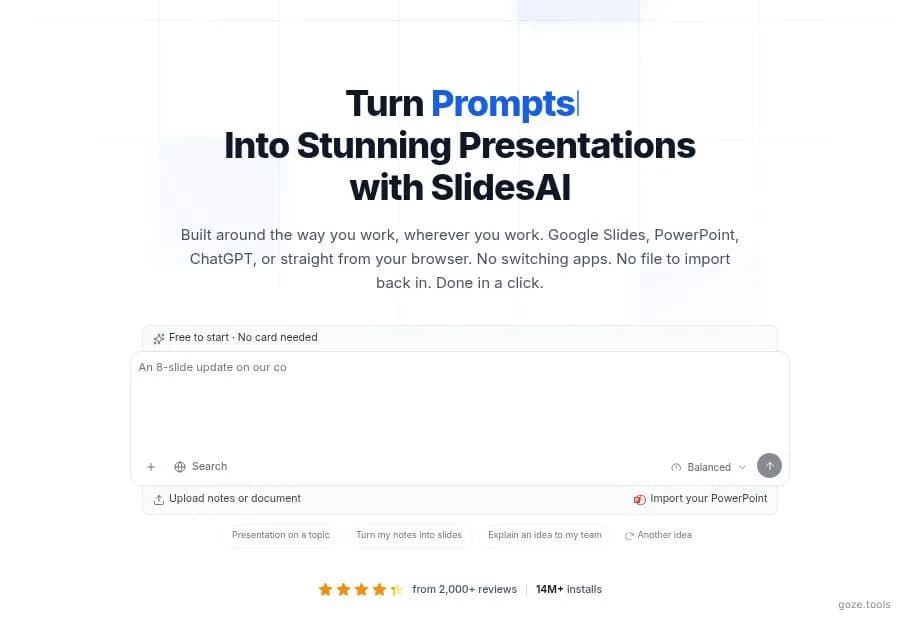
SlidesAI official homepage introduction and presentation prompt interface
About SlidesAI
SlidesAI turns source text into structured presentations in Google Slides and PowerPoint. It can create an outline, draft slide content and images, rewrite text, adjust layouts, and support export or sharing. Teachers can use it for lessons and quizzes; students can organize assignments; professionals can build recurring decks without starting from a blank file. The Basic plan includes 12 presentations a year, 2,500 input characters per presentation, and 120 annual AI credits. Pro increases those allowances to 120 presentations, 6,000 characters, and 600 credits, and adds document upload. Premium removes the presentation-count limit, accepts up to 12,000 input characters per presentation, and includes 1,200 annual credits plus document upload. Usage is still constrained by input size and AI credits, so long documents or frequent generation may require a higher tier. SlidesAI suits people who already use Google Slides or PowerPoint. Generated decks may still need a human pass for wording, layout, factual accuracy, and audience fit before presentation. Compare editor-native and standalone workflows in the [SlidesAI vs Presentations.AI guide](/en/articles/slidesai-vs-presentations-ai-workflow).
Best for
Best use cases
Convert an existing block of text into a first presentation draft when a blank deck would slow the work.
Prepare a lesson or workshop deck, then refine the generated outline, wording, images, and layout.
Export a completed presentation as PPTX or PDF for delivery, download, or sharing with collaborators.
Compare before choosing
Basic suits occasional use, but its 12-presentation annual cap and 2,500-character input limit are restrictive.
Pro adds document upload and higher annual allowances for users with regular presentation workloads.
Premium is the fit for frequent deck creation, though input characters and annual AI credits remain limited.
Features
Turn text into presentations
Paste or enter source text and use AI to turn it into a structured slide deck inside Google Slides or PowerPoint.
Prepare classroom lessons
Build lesson outlines, lecture slides, workshop materials, and quiz-oriented presentations while reducing manual slide setup.
Refine and export decks
Rewrite slide text, adjust layouts, generate images, then export or share the finished deck as PPTX or PDF.
Pros
- Works with both Google Slides and PowerPoint, reducing the need to move a generated deck into another presentation app.
- Covers generation, rewriting, layout refinement, images, export, and sharing within one documented workflow.
- The Basic plan provides a no-cost entry point for users who create only a small number of presentations.
Cons
- Basic is capped at 12 presentations per year and 2,500 input characters per presentation.
- Pro and Premium remain limited by annual AI credits, which can constrain repeated generation and refinement.
- AI-generated wording, layout, and factual content may still require manual review before a deck is presented.
Pricing Plans
Basic
- 12 presentations per year
- 2,500 input characters per presentation
- 120 AI credits per year
Pro
- 120 presentations per year
- 6,000 input characters per presentation
- 600 AI credits per year
- Document upload
Premium
- Unlimited presentations
- 12,000 input characters per presentation
- 1,200 AI credits per year
- Document upload
* Pricing information is for reference only. Please refer to the latest announcement on SlidesAI's official website.